Aadhaar Face RD App: Complete Guide, Features & Uses 2026
In an era where digital identity verification is vital for secure access to services, India has advanced one step further with Aadhaar UIDAI face authentication technology. This innovation makes identity verification faster, contactless, and more inclusive. Designed to help residents authenticate themselves using just their facial image, this system reduces dependency on fingerprints and iris scans. Whether you are a student applying for benefits, a senior citizen accessing pensions, or a farmer claiming welfare support, Aadhaar face authentication is transforming how identity is verified across both government and private platforms.
This comprehensive guide explores every aspect of the Aadhaar Face RD App authentication process: what it is, how it works, how to download and use the app, where it is applied, its benefits and limitations, and what the future holds for this technology.
What Is Aadhaar Face Authentication?
Biometric authentication refers to verifying someone’s identity based on unique physical or behavioural characteristics. Aadhaar, India’s national identity system, has long used fingerprints and iris scans for authentication. Face authentication adds a powerful new dimension by enabling identity verification using a live photo capture — making it contactless and more accessible.
At the core, face authentication captures a live image of a person’s face using the camera of a smartphone or tablet. This image is then compared with the face data stored securely in the Aadhaar database. Advanced artificial intelligence (AI) and machine learning (ML) algorithms analyze the live capture to confirm identity. Because of liveness detection, it becomes difficult for unauthorized users to manipulate the system with static images or pre‑recorded video.
Unlike older forms of biometric authentication, this system is more intuitive, user‑friendly, and suitable for a broad range of users, including those who may find fingerprinting difficult due to age or occupation.
How Aadhaar Face RD Authentication Works
Understanding the inner mechanics of Aadhaar face authentication demystifies why it is both secure and efficient.
1. Consent and Privacy First
Authentication begins only after the user provides explicit consent. The app asks for permission before accessing the device camera or initiating the verification process. This assures users that their biometric data won’t be captured without approval.
2. Live Image Capture
Users are asked to position their face in front of the camera. The app uses real‑time face detection to ensure the person is physically present — not a photograph, mask, or video. This step is crucial for liveness detection, a key security feature.
3. Comparison with Stored Aadhaar Data
Once the live image is captured, the system securely compares the captured facial features with the Aadhaar reference data already enrolled for the individual. This matching process uses AI and ML to check geometric patterns, facial landmarks, and other biometric markers.
4. Instant Verification Result
If the face match is successful, the user is authenticated. If the match fails, the app provides an option to retry. Failed verification may occur due to poor lighting, incorrect positioning, or discrepancies in the stored reference image. In such cases, the system often suggests corrective steps to improve success.
Why Face Authentication Matters in India
Adding face authentication to the Aadhaar ecosystem was a strategic decision to increase accessibility, improve speed, and enhance security in identity verification.
A. Enhanced Accessibility
Traditional biometric methods like fingerprints are not ideal for everyone. People who work in manual labor often have worn fingerprints. Elderly citizens may have difficulty with finger or iris scanning due to physiological changes. Face authentication eliminates these challenges, broadening access for all demographic groups.
B. Contactless Verification
In a post‑pandemic world, contactless verification is no longer just a convenience — it’s a requirement. Face authentication removes the need for physical contact with biometric scanners, reducing hygiene concerns and improving user experience.
C. Faster Process
Comparing a live facial image takes only a few seconds. This quick turnaround is especially beneficial in high‑traffic environments like banks, government offices, and service centers.
D. Security and Fraud Prevention
Because the system uses advanced AI and liveness detection, it becomes extremely difficult for unauthorized individuals to impersonate someone else. This reduces the risk of identity theft or misuse of government benefits.
E. Support for Digital Governance
Face authentication aligns with India’s wider digital governance goals, empowering government initiatives to deliver services more efficiently and transparently.
How to Download the Aadhaar Face RD App
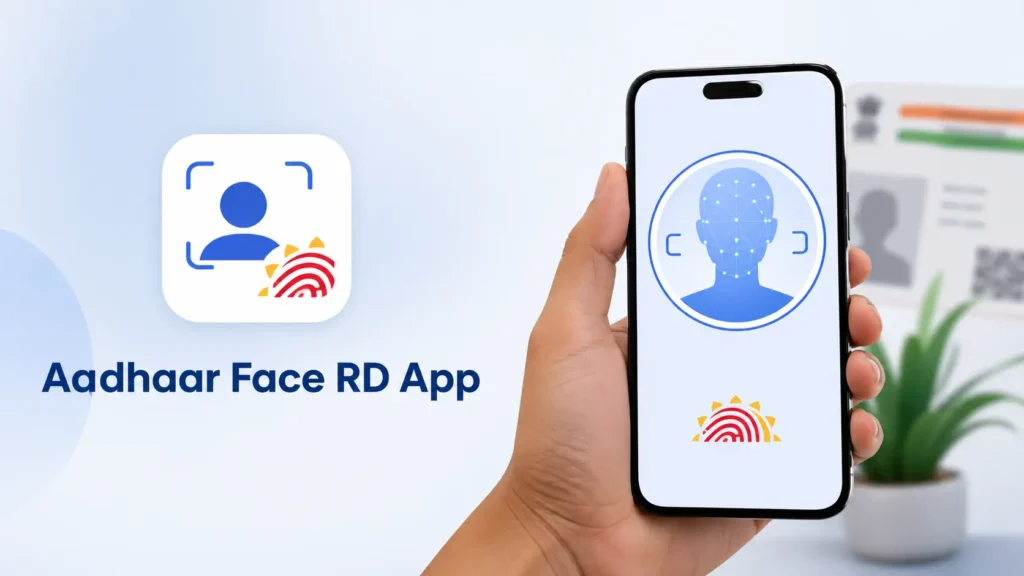
Before you begin using face authentication, you need to install the correct app on your Android device. The application that enables this function is called Aadhaar Face RD (Registered Device).
Step‑by‑Step Install
Make sure your device meets the minimum operating requirements, including having a working front camera and sufficient storage.
Important: The Aadhaar Face RD app may not work standalone. In many cases, it is launched through another service app that requests Aadhaar authentication, such as a bank app or government portal.
How to Login and Use the App
Using Aadhaar face authentication involves a clear and guided flow:
Real‑World Applications of Face Authentication
Face authentication is not limited to a single sector — its uses span many areas of daily life, government services, and institutional processes.
Government Welfare and Benefits
Pension and Retirement Benefits
Digital Life Certificates: Pensioners can generate digital life certificates from home, eliminating the need to visit offices physically.
Banking and Financial Services
Many banks have integrated face authentication into their systems to verify customers for account access, transactions, and KYC processes. This improves security while reducing in‑branch wait times.
Telecom and Digital Services
Telecom providers may use Aadhaar face authentication for SIM activation or eKYC verification, streamlining customer onboarding.
Travel, Hospitality, and Events
Face authentication is increasingly used for check‑ins, event access, and delivery verifications where Aadhaar consent‑based identity confirmation is required.
Advantages of Using Aadhaar Face Authentication
Face authentication offers benefits that traditional methods struggle to deliver:
Universal Accessibility: People with worn or unreadable fingerprints can still authenticate reliably using face recognition. This increases inclusion and helps digital systems reach everyone.
Time Efficiency: The entire process from capture to verification takes seconds, making it ideal for high‑volume use cases.
Reduced Physical Contact: This is especially useful in health‑sensitive environments and public places.
Enhanced Security: AI‑based matching and liveness detection make it tough for malicious actors to bypass authentication using images or replicas.
Limitations and Considerations
While face authentication is highly effective, it is not without limitations:
Lighting and Environment: Poor lighting can affect the quality of face capture, sometimes leading to verification errors. Users are advised to choose well-lit environments during authentication.
Camera Quality: Older or low‑resolution cameras may struggle to capture a clear live image.
Privacy Concerns: Despite robust safeguards, concerns remain about biometric data usage. It is crucial that users consent only when needed and understand how their data is used.
Privacy and Security Safeguards
Data privacy and security are central to the Aadhaar ecosystem:
These measures help protect user identity and build confidence in digital authentication systems.
Future of Face Authentication in India
The Aadhaar face authentication journey is still evolving, and the technology has exciting possibilities ahead:
Tips for Successful Authentication
To ensure a smooth experience:
Following these tips significantly increases the chance of instant authentication without retries.
FAQs
Final Thoughts
Aadhaar Face RD authentication is a powerful and inclusive method of verifying identity. By relying on contactless facial recognition, it offers a secure, fast, and user‑friendly alternative to older biometric systems. With applications across government services, banking, telecom, and everyday verification needs, it is reshaping how identity is confirmed in a digital society.
More than just an authentication technique, it is a strategic platform aligning with India’s vision for digital governance that is efficient, inclusive, and secure. As technology advances and adoption grows, Aadhaar face authentication is likely to become a cornerstone of digital identity verification in India.