Why Is the UIDAI Portal Blocked in Some States? Easy Fixes
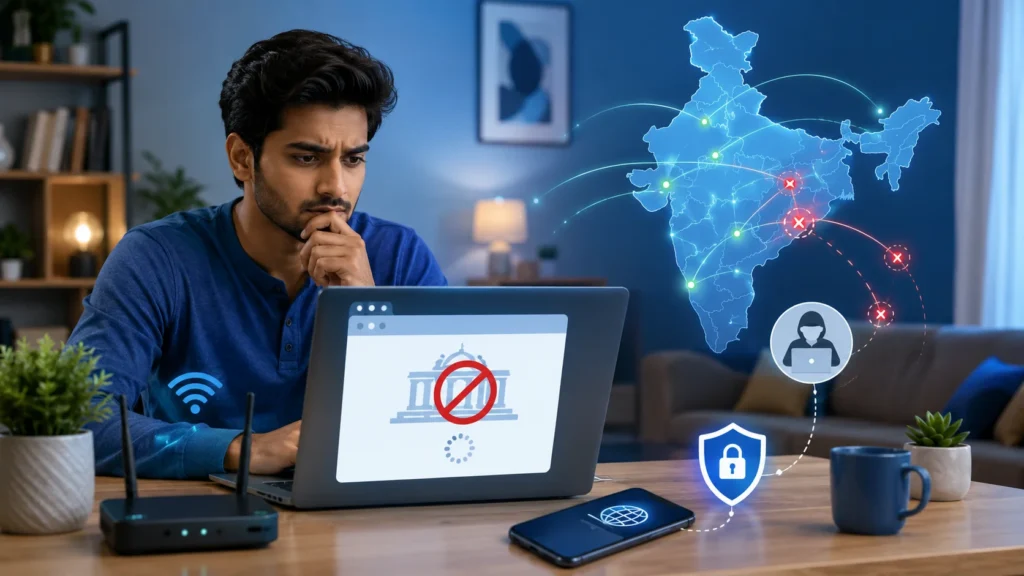
If you are wondering why the Aadhaar UIDAI portal is blocked in some states, it is important to know that the portal is not officially restricted in any Indian state. When users in a particular state or area cannot open myAadhaar, the issue is usually caused by a local internet provider, incorrect network routing, a temporary server problem, stored browser data, VPN use, or a security check on the user’s IP address.
There is one important exception: UIDAI confirms that some online Aadhaar services follow a geo-based access policy and may not be available to users accessing them from outside India.
Is the UIDAI Portal Really Blocked in Some Indian States?
At present, there is no confirmed announcement from UIDAI stating that the UIDAI portal blocked in some states or that the myAadhaar portal has been restricted in any particular Indian state. The confusion usually begins when many users from the same city or state report similar access errors, such as:
These errors can make it look like a state-wide ban. In reality, users may be connected through the same internet provider, regional network route, government service centre, or mobile network. That is why the portal may work on one connection but fail on another—even in the same house.
Why Does the UIDAI Portal Appear Blocked?
Here are the most common possible reasons.
1. Your Internet Provider Has a Routing Problem
Sometimes an internet service provider cannot connect properly to the UIDAI server. The problem may affect customers in one city, district, or state. A simple way to test this is to switch from Wi-Fi to mobile data. If the portal opens on mobile data, the problem is probably with your Wi-Fi network or internet provider—not UIDAI.
2. Your IP Address Is Being Checked or Blocked
Government websites use security systems to protect services from automated requests, attacks, and unusual traffic. Your connection may be temporarily stopped when the security system notices:
This does not normally mean your Aadhaar number has been blocked.
3. You Are Using a VPN or Proxy
A VPN can make it appear that you are accessing the portal from another state or country. Some VPN addresses are also shared by thousands of users and may already have been flagged by security systems. Turn off the VPN or proxy and try again using your normal Indian internet connection.
Avoid unknown websites that promise to “unblock UIDAI.” Aadhaar details and OTPs should only be entered on an official government platform.
4. Some Services Are Restricted Outside India
UIDAI’s main information website is generally accessible from outside India. However, certain online features use geo-based access rules. These may include services connected with:
Therefore, an NRI or traveller may open the main UIDAI website but still be unable to use a specific service. This is a country-level access rule, not a block on Indian states.
5. UIDAI Is Experiencing a Temporary Technical Issue
The myAadhaar portal may become slow or unavailable during maintenance, a temporary technical fault, or a period of heavy demand. This can happen when many people try to download Aadhaar, update documents, book appointments, or check their application status at the same time. Try again later instead of repeatedly refreshing the page.
6. Old Browser Data Is Causing the Error
Old cookies, cached pages, browser extensions, or strict privacy settings can stop the portal from loading correctly. The website may work after you:
Use a current version of Chrome, Firefox, Edge, or Safari.
7. The Problem Is With OTP Verification
The portal may open correctly but prevent you from logging in because the OTP does not arrive. The myAadhaar login OTP is sent to the mobile number registered with your Aadhaar. It may be delayed because of poor mobile coverage, operator delays, a full SMS inbox, or an outdated registered number. Wait a few minutes before requesting another OTP. Avoid pressing the resend button many times.
8. You May Be Opening an Old or Unofficial Link
Old Aadhaar service links may stop working after a portal update. Search results, bookmarks, WhatsApp messages, and older articles may contain outdated addresses. Start from the official UIDAI website at uidai.gov.in and open myAadhaar from there.
The official myAadhaar domain should end in uidai.gov.in. Do not enter your Aadhaar number or OTP on a similar-looking private website.
How to Fix the UIDAI Portal Access Problem
Try these steps in order:
Step 1: Check the Official Website
Open the UIDAI homepage directly and select the required Aadhaar service. Avoid links received through unknown SMS messages, social media posts, or advertisements.
Step 2: Turn Off Your VPN
Disable any VPN, proxy, private DNS app, or traffic-routing extension. Close the browser and try again.
Step 3: Change Your Internet Connection
Switch from:
If the portal works after changing networks, contact your internet provider.
Step 4: Use Incognito Mode
Open a private or incognito browser window and load the portal again. This avoids many problems caused by old cookies and cached files.
Step 5: Clear Cache and Cookies
Clear saved browser data for the UIDAI website. Restart the browser after clearing it.
Step 6: Restart Your Phone or Router
A restart can give your connection a new network route or IP address. Wait for a minute before reconnecting.
Step 7: Try Again Later
For a “Service Unavailable” or “Something Went Wrong” message, wait and try again after some time. Repeated refreshing may make the problem worse.
Step 8: Use an Aadhaar Centre When the Work Is Urgent
Some Aadhaar changes cannot be completed online. Name corrections, biometric updates, mobile-number changes, and certain other requests may require a visit to an Aadhaar Seva Kendra or authorised enrolment centre.
Quick Troubleshooting Table
| What you see | Possible reason | What to do |
| Site works on mobile data but not Wi-Fi | ISP, DNS or router issue | Restart the router or contact the ISP |
| Access Denied | VPN, foreign IP or security check | Turn off VPN and change network |
| Page keeps loading | Slow connection or server load | Wait and try another network |
| OTP not received | Mobile delay or wrong registered number | Wait, check signal and retry once |
| Service Unavailable | Temporary portal problem | Try again later |
| Aadhaar shows deactivated | Aadhaar status issue, not a portal block | Contact UIDAI support |
| Only one service fails | Service-specific restriction or fault | Open it from the main UIDAI site |
Does “Access Denied” Mean Your Aadhaar Is Blocked?
No. A website access error and a deactivated Aadhaar number are different problems. An “Access Denied” message normally relates to your browser, network, location, IP address, or the website’s security system. If your Aadhaar itself has been deactivated, contact UIDAI to learn the reason and the steps needed to resolve it.
Safety Tips While Fixing the Problem
Be careful when searching for a solution. Aadhaar-related access problems are often used by scammers to attract worried users. Remember these simple safety rules:
How to Contact UIDAI
When the problem continues across different browsers and networks, contact UIDAI through its official support channels. You can:
When reporting the issue, mention:
Do not send your OTP, password, full Aadhaar number, or unmasked Aadhaar copy in a public message.
FAQs
Final Thoughts
Reports that the UIDAI portal is blocked in some states usually point to a local network or technical problem rather than an official state-wide ban. Start by turning off your VPN, changing your internet connection, clearing browser data, and opening the service through the official UIDAI website.
If you are outside India, remember that some Aadhaar services use geo-based access rules and may not be available. When the problem continues, call 1947 or use UIDAI’s official complaint system. Most importantly, do not trust third-party websites that ask for your Aadhaar number or OTP in exchange for fixing the error.