Aadhaar Iris Scan Error: Causes, Fixes & Easy Solutions
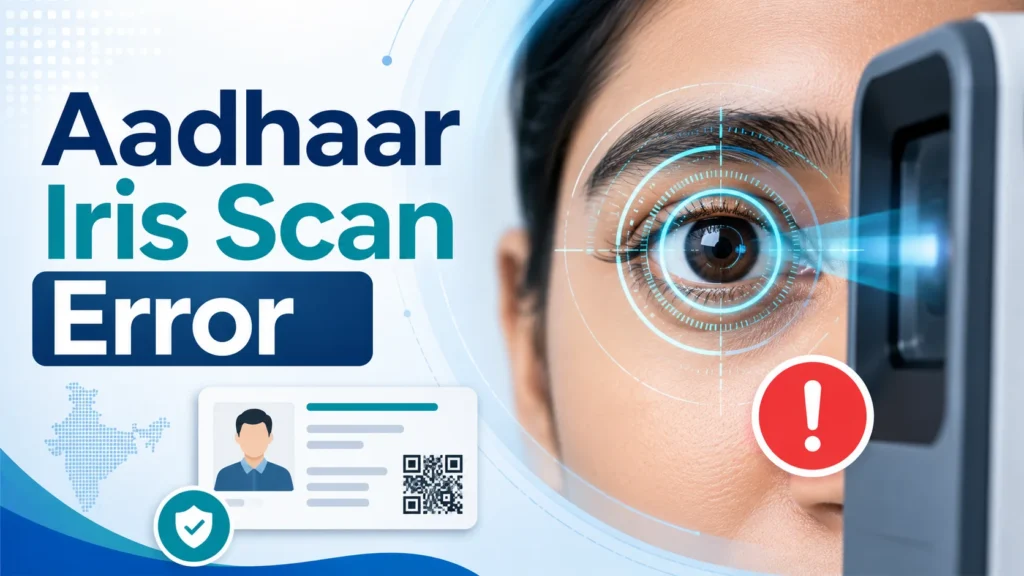
An Aadhaar iris scan error usually happens when the iris scanner cannot clearly capture your eye image or when your biometric data does not match the Aadhaar UIDAI database. It may also happen because of poor lighting, wrong eye position, dirty scanner glass, eye movement, spectacles, old biometric records, locked biometrics, device issues, or server problems.
The fastest solution is to try the scan again after cleaning the scanner, removing glasses if needed, opening your eyes properly, and sitting still. If the error keeps happening again and again, visit an authorized Aadhaar Enrolment or Update Centre and request a biometric update.
What Is an Aadhaar Iris Scan Error?
An Aadhaar iris scan error means the system is unable to verify your identity using your eye scan. Aadhaar biometric authentication compares your live biometric scan with the biometric record linked to your Aadhaar number. In simple words, the machine scans your eye and checks whether it matches the iris data already stored with Aadhaar. If the scan is unclear, incomplete, blocked, mismatched, or not received properly by the system, authentication can fail. This problem can happen during:
The problem is frustrating because users often do not know whether the issue is with their eyes, the machine, the operator, or Aadhaar records. The truth is usually simple: either the scan quality is poor, the biometric record needs updating, or the device/system is not working properly.
Common Reasons for Aadhaar Iris Scan Error
1. Poor Eye Position During Scan
The most common reason is simple: your eye is not placed correctly in front of the iris scanner. The scanner needs a clear view of the iris. If your eye is too close, too far, tilted, half closed, or moving, the device may fail to capture a clean image.
A small movement can cause an error. Many people blink again and again during the scan, especially elderly people or children. This makes the scan unclear.Tip: Sit straight, look directly at the camera, keep your eye open, and avoid moving for a few seconds.
2. Dirty Iris Scanner Glass
Sometimes the problem is not you. It is the scanner. If the scanner glass is dusty, oily, scratched, or not cleaned properly, it may not capture your iris clearly. Aadhaar centres and service points handle many people daily, so device cleanliness matters.
A dirty scanner can cause repeated iris scan failure even when your Aadhaar biometrics are correct. Tip: Politely ask the operator to clean the scanner glass and try again.
3. Poor Lighting Around the Scanner
Bad lighting can affect iris capture. Too much glare, direct sunlight, or a dark room can make it difficult for the device to scan your eye correctly. Some scanners work better in controlled indoor lighting. If the operator is using the scanner near a window or under harsh light, the result may fail. Tip: Ask the operator to adjust the device angle or move slightly away from direct light.
4. Spectacles, Contact Lenses, or Eye Reflection
Glasses can create reflection. Contact lenses may also affect iris capture in some cases. This does not mean everyone must remove glasses, but if the scan fails repeatedly, glasses can be one reason. Thick lenses, tinted glasses, dirty lenses, or strong reflection can block a clear scan. Tip: Remove glasses for the scan if the operator asks or if the scan fails repeatedly.
5. Dry Eyes, Watery Eyes, or Eye Infection
Temporary eye conditions can also create scan problems. If your eyes are watery, swollen, irritated, or infected, the scanner may not capture the iris properly. This is common when someone has allergies, eye redness, or recently had an eye issue. Tip: If your eye is irritated, do not panic. Try again later when your eye is normal. For any medical concern, consult an eye doctor.
6. Old Aadhaar Biometric Data
Your biometric data can change in quality over time. This is especially common for children, elderly people, and people whose biometrics were captured many years ago. Children’s biometrics need updates as they grow. Elderly people may face fingerprint failure more often, but iris authentication can also fail if older records are not clear or if the previous capture quality was weak.
If your Aadhaar was made long ago and iris authentication fails everywhere, your biometric data may need updating. Tip: Visit an Aadhaar Update Centre and request biometric update if errors happen at multiple places.
7. Biometrics Are Locked
Aadhaar has a biometric lock/unlock feature. If biometrics are locked, fingerprint or iris authentication may not work until you unlock them. Many users forget that they locked their biometrics earlier for safety. Then when they visit a bank, SIM provider, or service centre, authentication fails.
Tip: Check whether your Aadhaar biometrics are locked. If locked, unlock them through official Aadhaar services before trying biometric authentication again.
8. Device or RD Service Problem
Aadhaar biometric devices use registered device services. If the device software, driver, RD service, internet connection, or operator system has an issue, iris authentication can fail. This type of error is not your fault. It can happen because of outdated software, device initialization failure, poor connectivity, or server delay.Tip: Try another device or another authorized centre if the same operator’s machine keeps failing.
9. UIDAI Server or Network Delay
Sometimes the scan is captured correctly, but the authentication request does not complete because of network or server delay. This can happen during peak hours, poor internet, or temporary system downtime. In that case, trying again later may solve the issue. Tip: Do not immediately assume your Aadhaar is wrong. Try after some time or at another service point.
10. Wrong Aadhaar Number or Data Entry Mistake
A very basic mistake can also cause failure. If your Aadhaar number is typed incorrectly, or the operator selects the wrong option, the biometric scan will not match. Tip: Always check the Aadhaar number entered before authentication.
How to Fix Aadhaar Iris Scan Error Step by Step
Step 1: Try the Scan Again Properly
Before taking bigger steps, try the scan again carefully. Sit straight. Keep your face steady. Look directly into the iris scanner. Open your eyes naturally. Do not blink too much. Do not move your head. Many iris scan errors are solved in the second or third attempt when the eye position improves.
Step 2: Remove Glasses If Needed
If you wear glasses and the scan fails, remove them and try again.Make sure your eyes are clearly visible. If you wear contact lenses and the scan keeps failing, ask the operator whether you should try again later or use another authentication option.
Step 3: Ask the Operator to Clean the Scanner
This is a small step, but it matters. A dirty scanner can cause failure for many users. Ask the operator politely to clean the scanner lens or glass before trying again.
Step 4: Try Another Eye
Some devices allow scanning either eye or both eyes, depending on the setup. If one eye fails, ask the operator whether the other eye can be used. Sometimes one eye captures better than the other because of reflection, irritation, or positioning.
Step 5: Try Another Biometric Method
Aadhaar authentication may support fingerprint, iris, or face depending on the service and device available. If iris is failing, ask whether fingerprint or face authentication is available. This is especially useful when the problem is temporary, like eye irritation or device issue.
Step 6: Check Aadhaar Biometric Lock
If biometric authentication fails again and again, check whether your Aadhaar biometrics are locked. If locked, unlock them before trying authentication. This is important because locked biometrics can stop authentication even when your iris data is correct.
Step 7: Visit Another Authorized Centre
If one service point keeps failing, do not waste the whole day there.Try another Aadhaar centre, bank branch, or authorized service location. Some centres have better devices, trained operators, and stable internet. This is a practical step many people ignore.
Step 8: Update Your Aadhaar Biometrics
If iris scan fails at multiple places, your biometric data may need updating. Visit an authorized Aadhaar Enrolment or Update Centre and request a biometric update. Biometric update usually includes fingerprints, iris, and photograph.
Carry your Aadhaar number and required documents if the centre asks for them. After the update request is submitted, keep the acknowledgement slip safe. You may need the update request number to track the status.
When Should You Update Aadhaar Biometrics?
You should consider biometric update if:
Do not update biometrics after just one failed scan. One failed scan can be due to device, lighting, internet, or operator error. But repeated failure at different locations is a stronger sign that biometric update may be needed.
Aadhaar Iris Scan Error for Senior Citizens
Senior citizens often face biometric issues, especially with fingerprints. Iris can be a better option in many cases, but it can still fail because of weak capture quality, eye movement, cataract-related issues, watery eyes, or old Aadhaar records. For elderly users, the best approach is:
Families should avoid blaming the elderly person. The issue is usually technical or age-related, not carelessness.
Aadhaar Iris Scan Error for Children
Children may face iris scan errors because their biometrics change as they grow. Aadhaar made for children under 5 does not use full biometric capture in the same way as adult Aadhaar. Later, biometric updates become important.
If a child’s Aadhaar authentication fails, parents should check whether the mandatory biometric update is due. Visit an Aadhaar centre and update the child’s biometrics at the correct age. Do not delay this if the child needs Aadhaar for school, scholarship, government benefits, or official records.
Aadhaar Iris Scan Error at Bank
If iris scan error happens at a bank, first ask whether fingerprint or OTP-based verification is available. Some banking services may allow alternate verification, depending on the bank and service type. If the bank only offers biometric authentication and iris fails, try these steps:
Do not leave the bank without asking what exact error appeared. The error message can help you decide whether it is a lock issue, device issue, or biometric mismatch.
Aadhaar Iris Scan Error During Mobile SIM Verification
For SIM verification, Aadhaar authentication may fail due to device or biometric mismatch. If iris scan fails, ask the retailer if another method is available. Also, avoid giving your Aadhaar details to random shops that are not authorized. Use trusted service providers only. If your biometric authentication fails at multiple telecom points, update your Aadhaar biometrics at an authorized centre.
What Not to Do
How Long Does Aadhaar Biometric Update Take?
After submitting a biometric update request, Aadhaar update processing may take time. Keep your acknowledgement slip safe and track the status using the official Aadhaar update status service. During this period, some services may still face authentication issues until the update is processed. If the update takes too long, contact UIDAI support through official channels.
Documents Needed for Aadhaar Biometric Update
For biometric update, the main requirement is your physical presence because your fingerprints, iris, and photograph must be captured. Carry:
Original documents are usually checked and returned. Do not hand over original documents permanently to anyone.
How to Avoid Aadhaar Iris Scan Error in Future
Here are simple tips:
These small steps can save you repeated visits.
Quick Troubleshooting Table
| Problem | Likely Reason | What to Do |
| Iris scan fails once | Eye movement or scanner issue | Try again slowly |
| Iris scan fails many times | Poor capture or old biometric | Visit Aadhaar Update Centre |
| Fingerprint works but iris fails | Iris capture issue | Use fingerprint if accepted |
| Iris and fingerprint both fail | Biometrics locked or outdated | Check lock status and update biometrics |
| Error at only one location | Device or network problem | Try another centre |
| Error at every location | Aadhaar biometric mismatch | Request biometric update |
| Child’s Aadhaar fails | Biometric update may be due | Visit Aadhaar centre |
| Senior citizen scan fails | Age-related biometric issues | Try alternate mode or update biometrics |
FAQs
Final Thoughts
An Aadhaar iris scan error is annoying, but it is usually fixable. Start with the simple things first: sit properly, keep your eyes steady, remove glasses if needed, ask the operator to clean the scanner, and try again. If the same problem happens at multiple places, stop wasting time with repeated attempts. Visit an authorized Aadhaar Update Centre and request a biometric update.
That is the practical solution when your iris or fingerprint authentication keeps failing. The key is not to panic and not to trust shortcuts. Use official Aadhaar services, keep your acknowledgement slip safe, and track your update properly.