Gender Update Denied in Aadhaar Portal? Easy Fix in 2026
Getting your Aadhaar gender update denied can feel confusing, especially when the UIDAI portal shows only a vague error message. You may not know whether the issue is with your document, your form, your update limit, the portal, or something else. The good news is that a rejected Aadhaar gender update does not always mean you cannot fix it. In many cases, the problem can be solved by checking the rejection reason, correcting the document issue, visiting an Aadhaar Seva Kendra, or raising a complaint with UIDAI.
If your gender update was denied on the Aadhaar UIDAI portal with a vague error, the most common reasons are incorrect or unclear documents, mismatch between details, poor document upload quality, update limit issues, verification failure, or a backend processing problem.
You should first download or check the update status, note your URN or EID, review your submitted documents, and then contact UIDAI through the 1947 helpline, grievance portal, email support, or regional office if needed. This guide explains the issue in simple words and gives you clear steps to fix it.
Quick Answer
If your Aadhaar gender update is denied with a vague error, do this:
Do not submit the same request again and again without fixing the possible cause. Repeated failed requests can waste time and make the process more frustrating.
What Does “Gender Update Denied” Mean in Aadhaar?
Aadhaar gender update denied means UIDAI did not approve your request to change or correct the gender details linked with your Aadhaar number. This can happen after you submit a gender correction request online or at an Aadhaar centre. Sometimes the portal may show a clear reason, such as invalid document or limit exceeded.
Other times, it may show a vague error or general rejection message that does not explain much. A vague rejection message is frustrating because it does not tell you exactly what went wrong. But the rejection usually comes from one of a few common issues.
Common Reasons Why Aadhaar Gender Update Gets Denied
1. Document Does Not Clearly Support the Gender Update
This is one of the most common reasons. If your uploaded document does not clearly show the gender you want to update, UIDAI may reject the request. For example, if the document only shows your name and address but does not mention gender, it may not be accepted for gender correction. The document should support the exact change you are requesting.
2. Details Do Not Match Across Documents
UIDAI may reject the update if your supporting document has a mismatch in:
Even small differences can create problems. For example, if your Aadhaar name is “Rahul Kumar” but the document says “Rahul K.”, the system or verifier may not accept it easily.
3. Poor Quality Document Upload
If the uploaded document is blurry, cropped, dark, unclear, or incomplete, the request may be denied. A document may be rejected if:
Before uploading, always check if the document is readable on your phone or computer screen.
4. Wrong Document Type Selected
Sometimes people upload a valid document but choose the wrong document type from the portal menu. For example, if you upload one type of ID but select another category, the request may not match the submitted proof. This can cause rejection. Always select the correct document name or category when uploading.
5. Gender Update Limit Exceeded
Aadhaar gender update may have restrictions. If you have already changed gender details before and your request crosses the allowed limit, UIDAI may reject it. In such cases, you may need exception processing. That usually means UIDAI will review your case separately through the regional office or support process.
If your rejection says something like “limit exceeded,” “update limit crossed,” or gives a similar vague message, you should contact UIDAI instead of repeatedly submitting the same request.
6. Biometric or Verification Issue
Some updates may require proper verification. If there is a biometric mismatch, authentication failure, or incomplete verification, the request may not go through. This can happen if:
If you suspect this, visiting an Aadhaar Seva Kendra may be better than trying online again.
7. Portal or Backend Processing Error
Sometimes the issue is not your fault. The UIDAI portal may show a general error due to technical problems, server issues, or backend validation failure. If everything looks correct but the error remains vague, wait for some time and check the status again. If the request is officially rejected, raise a complaint.
What to Do First After Aadhaar Gender Update Is Denied
Do not panic. Start with these basic checks.
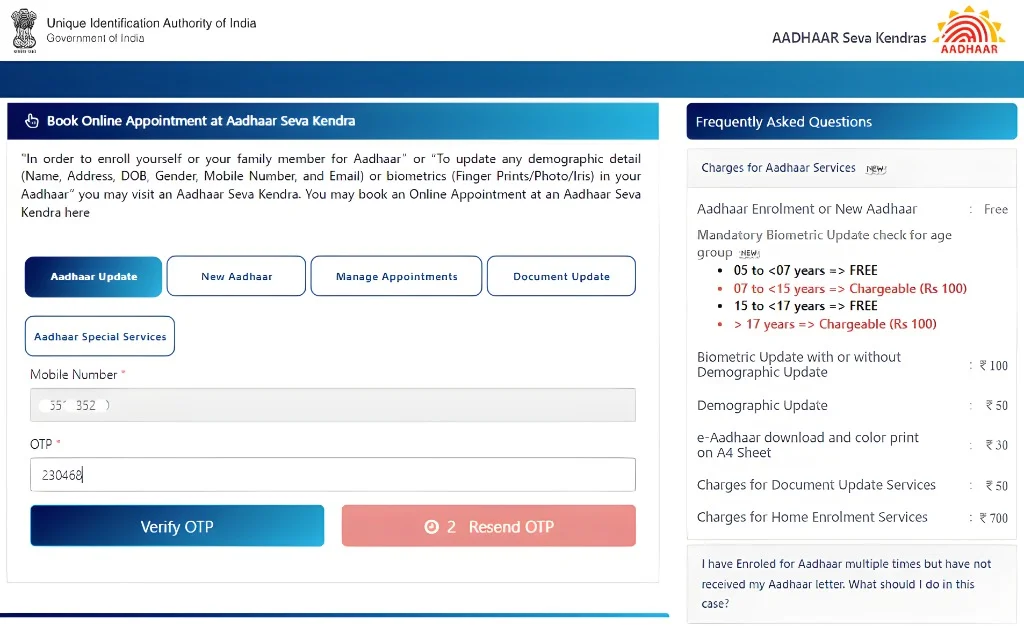
Step 1: Check Your Update Status
Use your URN, SRN, or EID to check the update status on the official UIDAI portal. Write down:
This information will help when you contact UIDAI support.
Step 2: Read the Error Message Carefully
Even if the error looks vague, check for words like:
These words can help you understand the next step.
Step 3: Check Your Supporting Document
Ask yourself:
If any answer is no, fix the document before trying again.
Step 4: Do Not Keep Reapplying Blindly
Many people make the mistake of submitting the same request again without changing anything. If the document or details are the problem, the request may get rejected again. Instead, first find the likely reason and then submit a better request.
How to Fix Aadhaar Gender Update Denied With Vague Error
Option 1: Reapply With Better Documents
If the issue seems document-related, prepare a clearer and stronger document. Use a document that:
Upload a clean scan or clear photo. Make sure the file is not too small or blurry.
Option 2: Visit an Aadhaar Seva Kendra
If online update keeps failing, visit an Aadhaar Seva Kendra or Aadhaar enrolment/update centre. This is often better because the operator can capture your request directly and verify your biometrics. You can also ask them which document is suitable for your case. Carry:
Do not rely only on photocopies. Carry the original documents too.
Option 3: Contact UIDAI Helpline 1947
UIDAI’s official helpline is 1947. You can call and explain that your gender update was rejected with a vague error. Keep these details ready:
Ask the support person to explain the rejection reason and guide you on the next step.
Option 4: Raise a Complaint With UIDAI
If the reason is unclear, raise a complaint through UIDAI’s official grievance support. In your complaint, mention:
Keep the complaint short and clear.
Option 5: Request Exception Processing
If the rejection is because the gender update limit has been exceeded, you may need exception processing. Exception processing means UIDAI may review your request separately instead of treating it like a normal update. This may require contacting UIDAI support, emailing the required documents, or approaching the regional office. For gender update beyond the normal limit, UIDAI may ask for supporting documents such as the latest enrolment/update slip and relevant proof.
Sample Complaint Message for UIDAI
You can use this simple complaint format:
Subject: Aadhaar Gender Update Rejected With Vague Error
Dear UIDAI Support Team,
My Aadhaar gender update request has been rejected, but the portal is showing a vague error and I am unable to understand the exact reason.
My update request details are:
URN/EID: [Enter your URN or EID]
Date of request: [Enter date]
Requested update: Gender correction
Rejection message shown: [Write the exact message]
I request you to please check the reason for rejection and guide me on the correct next step. If any additional document or exception processing is required, please let me know.
Thank you.
Name: [Your Name]
Mobile: [Your Mobile Number]
Documents That May Help for Aadhaar Gender Update
The right document can depend on your situation and UIDAI’s current document list. In general, use a government-approved document that clearly supports your gender correction. Possible documents may include:
Always check the latest UIDAI accepted document list before submitting.
Special Case: Gender Update for Transgender Aadhaar Holders
Aadhaar allows gender options such as male, female, and transgender. If you are updating your gender to transgender, you may need proper supporting documents depending on the process and current UIDAI rules. If your request is rejected, do not assume the change is impossible. It may simply need the correct document, clearer submission, or exception handling. You can contact UIDAI support, visit an Aadhaar Seva Kendra, or approach the regional office if normal update fails.
Mistakes to Avoid
How Long Does Aadhaar Gender Update Take?
Aadhaar updates can take some time after submission. Some requests are processed faster, while others may take longer due to verification. If your request is rejected, check the status first and then raise a complaint if needed. Do not assume that no update means rejection unless the portal clearly says it is rejected.
Can You Update Aadhaar Gender Online?
Some Aadhaar demographic services may be available through the myAadhaar portal depending on UIDAI’s current rules and your case. However, if your online gender update is rejected repeatedly, visiting an Aadhaar Seva Kendra is usually a better option. Offline update can be more useful when:
What If the Portal Does Not Show Any Clear Reason?
If the portal only says rejected or failed without explaining why, do this:
- Take a screenshot of the error.
- Save your URN, SRN, or EID.
- Check if your document was correct and clear.
- Call 1947 and ask for the exact rejection reason.
- Raise a complaint if support cannot explain it.
- Visit an Aadhaar centre if online support does not solve it.
- Contact the regional office if the issue is limit-related or complex.
A vague error is not the end of the process. It just means you need to get the exact reason from UIDAI support.
Best Way to Reapply Successfully
Before reapplying, prepare properly. Use this checklist:
This small checklist can prevent many common rejections.
FAQs
Final Thoughts
Aadhaar gender update denial with a vague error can be stressful, but it is usually fixable. The most important thing is to avoid guessing. First check your update status, save your URN or EID, review your documents, and understand whether the issue is document-related, limit-related, or technical. If your document was unclear or mismatched, prepare a better document and reapply.
If the update limit has been crossed, contact UIDAI and ask about exception processing. If the portal gives no clear reason, raise a complaint through official UIDAI channels. Keep everything simple, use official support only, and do not share your Aadhaar OTP or personal documents with unknown agents.