Masked Aadhaar Card in India: A Complete Guide (2026 Update)
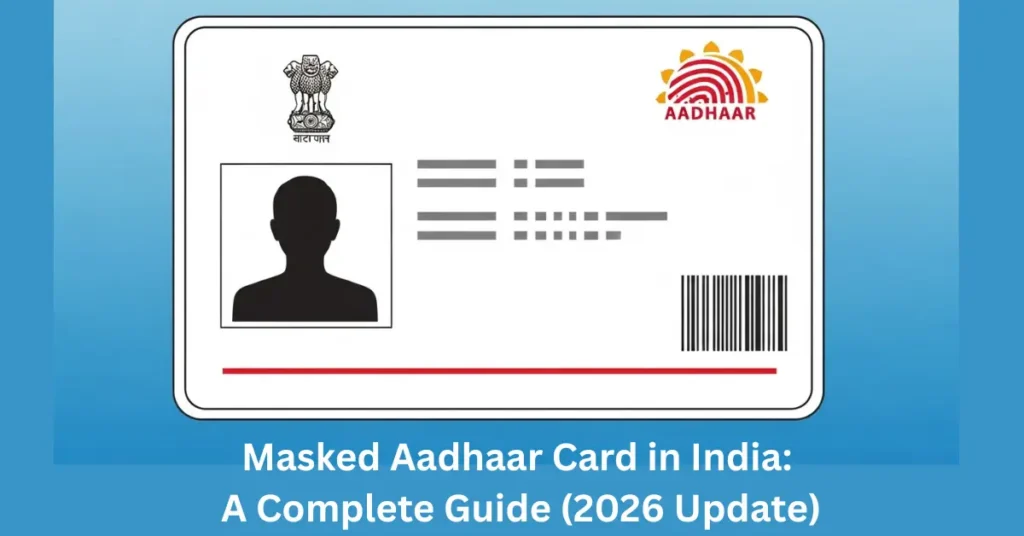
In a world where digital identity is increasingly used for online services and verification, protecting personal information is crucial. Aadhaar UIDAI, India’s unique identity system, is widely used for identity authentication in banking, travel, government services, and more. To protect Aadhaar holders from misuse of their full Aadhaar number, UIDAI introduced the Masked Aadhaar Card — a safer version that safeguards your sensitive data while still serving as a valid identity proof.
What Is a Masked Aadhaar Card?
A Masked Aadhaar Card is an electronic version of your Aadhaar where your Aadhaar number is partially hidden. The first eight digits are replaced with “xxxx‑xxxx” and only the last four digits are visible. This means that when you share your Aadhaar for identity verification, your full 12‑digit number is not exposed, reducing the risk of identity theft and misuse.
Key Features of Masked Aadhaar
This makes Masked Aadhaar a privacy-focused identity proof that still retains verification features.
Why Use Masked Aadhaar?
The main advantage is enhanced privacy and security:
Protects Full Aadhaar Number
Masking hides most of your Aadhaar digits, so even if someone sees the digital copy, they cannot misuse your full number.
Reduces Identity Theft Risk
Since fewer digits are exposed, chances of your Aadhaar being used fraudulently drop significantly.
Still a Valid Identity Proof
Masked Aadhaar is widely accepted for ID verification in many situations where full Aadhaar disclosure is not required.
How to Download Masked Aadhaar — All Methods
There are multiple ways to download your Masked Aadhaar — from the official UIDAI portal, apps, or even through DigiLocker.
1. Download Masked Aadhaar via UIDAI Website
This is the most common method:
The PDF file will be password‑protected. Use the first 4 letters of your name (UPPERCASE) + year of birth as the password (e.g., RAME1992).
2. Using the mAadhaar App
The mAadhaar App (official by UIDAI) lets you download a Masked Aadhaar securely:
3. Download from DigiLocker
You can retrieve your Masked Aadhaar through DigiLocker too:
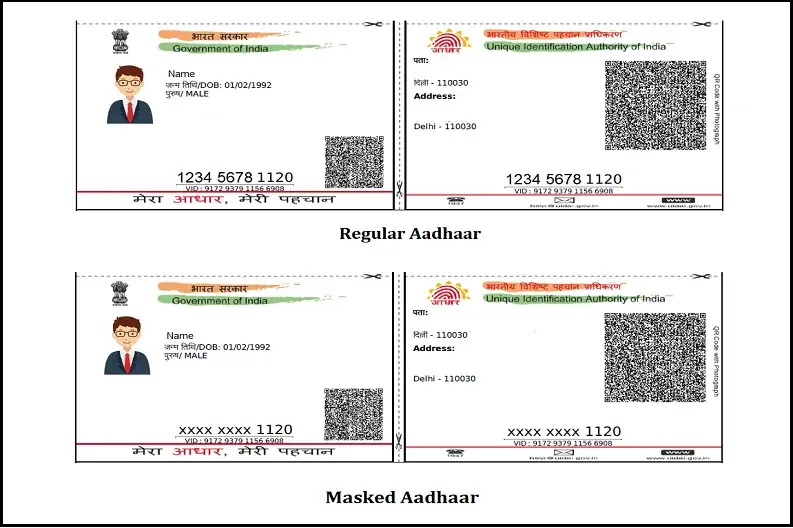
Comparison: Masked Aadhaar vs Regular Aadhaar
| Feature | Regular Aadhaar | Masked Aadhaar |
| Full Aadhaar Number Visible | ✅ Yes | ❌ Only last 4 digits shown |
| Privacy Level | Low | High |
| Legal Acceptability | Broad | Good for most ID checks |
| Virtual ID Included | ❌ Generally no | ✅ Yes |
Masked Aadhaar gives you extra privacy without losing most functional uses of your identity proof.
Where You Can Use Masked Aadhaar
You can use Masked Aadhaar for:
However, some official government services requiring the full Aadhaar number may not accept masked versions (e.g., certain welfare schemes). Always check the requirement first.
Safety Tips When Using Aadhaar Online
To keep your Aadhaar details secure:
These simple precautions can help you prevent identity theft and unauthorized access.
FAQs
Final Thoughts
The Masked Aadhaar Card is a modern, privacy‑focused version of your Aadhaar identity. It allows you to share your identity securely, protects your sensitive details, and is valid for most verification processes. With simple online steps via the official UIDAI website or apps, you can generate and download this safer Aadhaar variant anytime. Whether it’s for digital KYC checks, routine verification, or preventing unauthorized data exposure, Masked Aadhaar offers peace of mind in today’s interconnected world.