Free Aadhaar Email Update Through App From July 2026
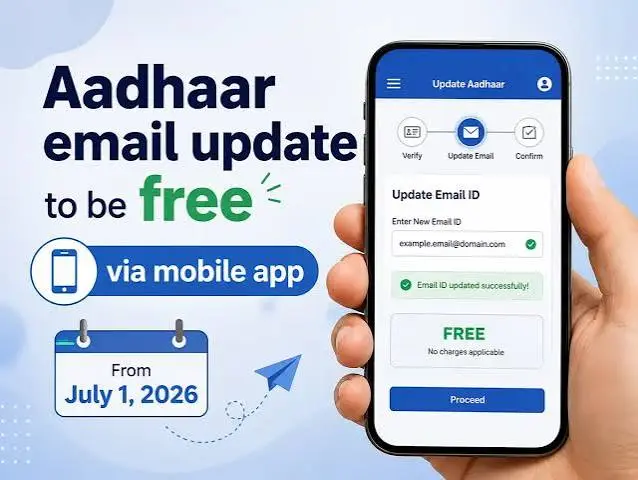
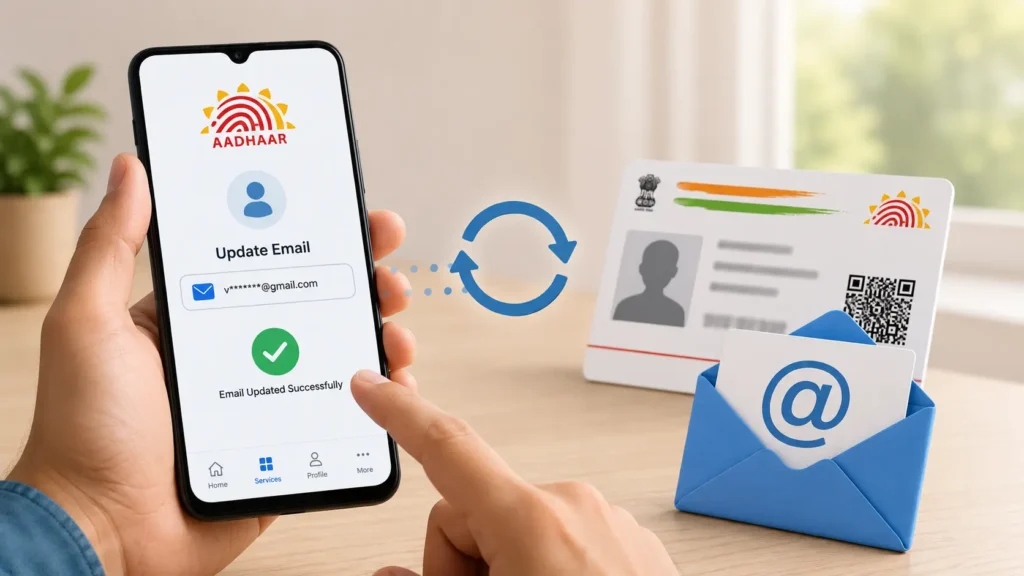
UIDAI will allow Aadhaar holders to update their email address for free through the official Aadhaar mobile app from July 1, 2026. This new Aadhaar UIDAI facility will remain free until December 31, 2026. During these six months, users will not need to pay the normal ₹75 email update charge.
However, the fee waiver applies only to email updates completed through the Aadhaar app. Other Aadhaar update services may still have their usual charges.
Quick answer: Aadhaar email updates will be free through the official Aadhaar app from July 1 to December 31, 2026. UIDAI is temporarily removing the ₹75 charge for this specific app-based service.
Free Aadhaar Email Update at a Glance
| Detail | Information |
| Service | Aadhaar email address update |
| Free service starts | July 1, 2026 |
| Free service ends | December 31, 2026 |
| Normal charge waived | ₹75 |
| Free update method | Official Aadhaar mobile app |
| Available on myAadhaar portal | Not announced |
| Aadhaar centre fee | Normal demographic update charges may apply |
| Official authority | UIDAI |
What Has UIDAI Announced?
The Unique Identification Authority of India has temporarily waived the fee for updating an email address through the Aadhaar mobile application. Normally, updating an email address is treated as a demographic update. The applicable charge for a separate demographic update is ₹75.
Under the new decision, this ₹75 charge will not apply when the email update is submitted through the Aadhaar app between July 1 and December 31, 2026. The offer is designed to encourage more Aadhaar holders to keep their contact details correct and current.
When Will the Free Aadhaar Email Update Start?
The free Aadhaar email update service will start on July 1, 2026. It will remain free until December 31, 2026. This gives Aadhaar holders six months to use the facility without paying the usual update charge. The waiver is time limited. Do not assume that the service will remain free after December 31.
UIDAI may review the facility later, but no extension has been officially confirmed yet. Important: The service is not free before July 1, 2026. Wait until the feature becomes active inside the official Aadhaar app.
Where Can You Update Your Aadhaar Email for Free?
The free option will be available through the new official Aadhaar App. The waiver does not automatically cover:
Only the email-address update submitted through the Aadhaar mobile app is covered by this six-month waiver.
Is the Free Facility Available on the myAadhaar Website?
UIDAI’s official memorandum mentions the Aadhaar mobile application only. It does not say that email updates will be free through the myAadhaar website. Therefore, users should not assume that the same offer applies to the portal.
The myAadhaar portal currently offers selected services, including document updates and email or mobile-number verification. Verifying an existing email is different from changing it. Use the Aadhaar app for the free email-update facility once it becomes available.
How to Update an Email Address Through the Aadhaar App
The email-update option is scheduled to become available from July 1, 2026. At the time of writing, UIDAI has not published a final screen-by-screen guide for this new service. The menu names may also change after the app is updated. Once the feature is live, the process is expected to work like this:
- Download or update the official Aadhaar app.
- Open the app and sign in with your six-digit PIN.
- Go to the services section.
- Select the email-address update option.
- Enter the email address you want to register.
- Check the spelling carefully.
- Complete the verification shown in the app.
- Submit the request without paying the ₹75 fee.
- Save the acknowledgement or service request number.
- Track the request from the app.
The app may ask for an OTP, face authentication, or another identity check. Follow the instructions shown on your screen. Tip: Update the app from the official Play Store or App Store on or after July 1. An older version may not display the new option.
What Do You Need Before Starting?
Keep the following ready:
Your phone should run Android 9 or later. For iPhone users, iOS 16 or later is required. The app uses SIM-based device binding and face authentication during registration. Camera, SMS and call permissions may be required for secure verification.
How to Register on the Aadhaar App
New users must first create a profile in the Aadhaar app. The general registration process is:
Never share your app PIN, Aadhaar OTP or full Aadhaar number with an unknown person.
How to Check Which Email Is Linked With Aadhaar
You may already have an email address registered with Aadhaar. Before requesting a change, use UIDAI’s Verify Email or Mobile Number service. This facility helps you confirm whether a particular email address matches the one in your Aadhaar record. Follow these general steps:
The verification service does not display your complete registered email address. It only helps confirm whether the email you entered matches UIDAI’s records.
Why Should You Keep Your Aadhaar Email Updated?
A registered email address can help you receive Aadhaar-related notifications and update confirmations. It is especially useful when:
A current email address can also make it easier to notice important account activity. However, your registered mobile number remains important for many Aadhaar OTP-based services. Updating an email does not replace the need for an accessible mobile number.
Aadhaar Email and Mobile Number Are Not the Same
Your email and mobile number serve different purposes in the Aadhaar system.
| Registered mobile number | Registered email address |
| Used for many Aadhaar OTP services | Used for alerts and notifications |
| Important for myAadhaar login | Helps receive update information |
| Needed for many online services | Useful as an additional contact method |
| Usually receives authentication OTPs | Does not replace the mobile number |
Do not expect every Aadhaar OTP to arrive by email. Most login and authentication services continue to depend on the registered mobile number.
Will You Need Documents for an Email Update?
UIDAI’s fee-waiver memorandum does not list any document requirement for the new app-based email update. The final app process may rely on digital verification, such as face authentication, OTP verification or confirmation through the new email address. Users should follow the instructions that appear after the service launches. Do not upload PAN cards, bank statements or identity documents to an unofficial website or send them through WhatsApp.
How Long Will the Email Update Take?
UIDAI has not announced a separate processing period for the new email facility. A submitted request may not update instantly. UIDAI must process and validate the information before changing the Aadhaar record. Save the service request number shown after submission. You may need it to check the update status. Submitting a request does not always guarantee approval. Incorrect information or failed verification may lead to rejection.
What Happens After December 31, 2026?
The special fee waiver ends on December 31, 2026. Unless UIDAI announces an extension, the regular charge may apply again from January 1, 2027. Users who need to correct an outdated or inaccessible email should consider using the free window instead of waiting until the end of the year.
Helpful tip: Avoid submitting your request on the final day. App traffic, OTP delays or technical problems could stop you from completing the update in time.
Common Problems You May Face
Email Update Option Is Not Showing
Check the date first. The facility begins on July 1, 2026. Update the app through the official store. Restart it after installing the latest version.
App Does Not Work on Your Phone
The app requires Android 9 or later, or iOS 16 or later. Older operating systems may not support it.
Developer Mode Error Appears
UIDAI does not allow the Aadhaar app to work when developer mode is active. Turn off developer options and reopen the app.
Face Authentication Fails
Move to a well-lit area and keep your face clearly visible. Clean the phone camera and avoid strong light behind you.
Verification Message Does Not Arrive
Check your internet connection and email spam folder. Make sure the email address was entered correctly.
Request Is Rejected
Review the reason shown in the app. For additional help, contact the UIDAI helpline at 1947 or submit a complaint through official UIDAI channels.
Safety Tips for Updating Your Aadhaar Email
A new Aadhaar service often attracts fake websites, messages and apps. Protect yourself by following these rules:
UIDAI will not ask you to share an Aadhaar OTP through a phone call, WhatsApp message or social-media chat.
Free Email Update vs Free Document Update
These are two different UIDAI facilities. The free email update applies through the Aadhaar app from July 1 to December 31, 2026. The free document-update facility applies to Proof of Identity and Proof of Address submissions through the myAadhaar portal until June 14, 2027.
| Facility | Free method | Deadline |
| Email-address update | Aadhaar mobile app | December 31, 2026 |
| PoI and PoA document update | myAadhaar portal | June 14, 2027 |
Do not confuse document submission with changing an email address.
FAQs
Final Thoughts
The free Aadhaar email update gives users a simple way to correct an old or inaccessible email without paying ₹75. The facility will run through the official Aadhaar app from July 1 to December 31, 2026. Download the genuine app, check your email carefully and save the acknowledgement after submitting your request. Because the feature has not yet gone live, users should follow the final instructions displayed in the Aadhaar app from July 1 onward.