7 Reasons Why UIDAI OTP Comes From an Unknown Number
Receiving a UIDAI OTP can feel worrying, especially when you are using Aadhaar for banking, KYC, document downloads, or another important service. Many users wonder why a UIDAI OTP comes from an unknown number instead of a familiar sender. This usually happens because UIDAI-related SMS messages may appear through a registered sender header rather than a normal mobile number.
However, an unexpected OTP may also mean that someone entered your Aadhaar number while trying to access an online service. The safest response is simple: never share the OTP, avoid clicking unknown links, and verify the activity through official Aadhaar UIDAI services.
Quick Answer
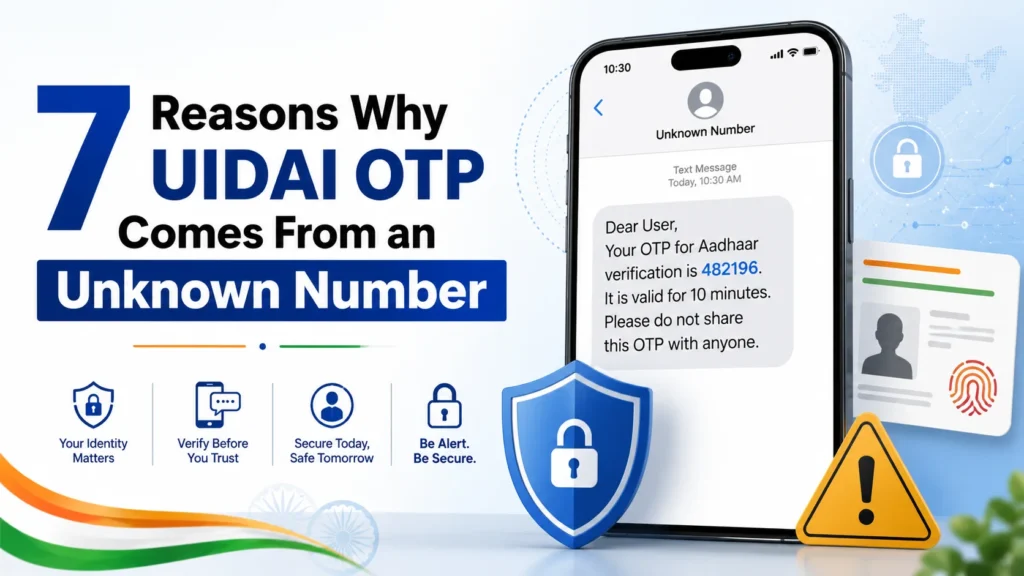
A UIDAI OTP may come from an unknown-looking sender because automated government and service messages are often delivered through registered SMS headers. These headers may contain letters and numbers instead of a regular 10-digit mobile number.
TRAI explains that bulk and service messages are sent through registered alphanumeric headers, which may look unfamiliar to the person receiving them. Therefore, an unfamiliar sender name does not automatically mean the OTP is fake. However, you should become cautious when:
What Is a UIDAI OTP?
A UIDAI OTP is a temporary security code sent to the mobile number registered with your Aadhaar. It may be required when you:
UIDAI states that an OTP can be requested through an Authentication User Agency application and is sent to the mobile number registered with Aadhaar. The OTP confirms that the person performing the action has access to the Aadhaar-linked mobile number.
Why Does the UIDAI OTP Sender Look Unknown?
There are several possible reasons.
1. It Is an SMS Header, Not a Mobile Number
The sender may not appear as a standard phone number. It may appear as a combination of letters, numbers, or a shortened organization name. TRAI requires organizations sending service and commercial communications to use registered headers. A header is an alphanumeric identity assigned to a business, government department, or legal entity for sending messages. This is why the sender may look unfamiliar even when the message is genuine.
2. The OTP Was Requested Through Another Service
Not every Aadhaar OTP is requested directly from the UIDAI website. Banks, telecom companies, government portals, financial services, and other approved organizations may use Aadhaar authentication. These organizations are known as Authentication User Agencies.
UIDAI confirms that banks, telecom operators, government schemes, and private service providers may use Aadhaar authentication to verify customers or beneficiaries. For example, you may receive an OTP while:
The OTP may therefore be connected to the service you are using, even when the SMS sender does not say “UIDAI” clearly.
3. Telecom Networks May Display the Sender Differently
Your phone may display the registered SMS header rather than the organization’s full name. Because the sender is an automated messaging identity and not a personal mobile number, it may look unusual or appear in an unfamiliar message thread. The important thing is to check the content of the message and the activity that caused it.
4. Someone Entered the Wrong Aadhaar Number
Another user may have accidentally entered your Aadhaar number while filling out an online form. In that situation, the OTP will still come to your registered mobile number. The other person should not be able to complete OTP-based authentication unless you share the code. Simply ignore the OTP and do not send it to anyone.
5. Someone May Be Trying to Use Your Aadhaar
An unexpected Aadhaar OTP can also indicate an attempted authentication request. It does not automatically prove fraud, but you should take it seriously when:
UIDAI advises Aadhaar holders who receive an authentication notification for an activity they did not perform to contact UIDAI using the details provided in the notification.
Is a UIDAI OTP Comes From an Unknown Number Safe?
The appearance of the sender alone is not enough to decide whether the message is safe. A legitimate OTP message normally provides a temporary code for an action you started. It should not pressure you to reveal the code to another person. Use this quick comparison:
| Possibly Genuine OTP | Suspicious OTP Message |
| Arrives after an action you started | Arrives without any known activity |
| Contains a temporary verification code | Asks you to reply with the OTP |
| Does not ask for payment | Demands a payment or fee |
| Does not require a phone call | Tells you to call an unknown number |
| Relates to a service you are using | Threatens to block Aadhaar immediately |
| Does not ask for passwords or PINs | Requests bank details, PINs or passwords |
Even when the message looks genuine, never share its OTP with another person.
What Should You Do If You Did Not Request the OTP?
Follow these steps.
1. Do Not Share the OTP
Do not give the OTP to:
An OTP is meant to be entered only by you on the official service you are using.
2. Do Not Click Links in the Message
Avoid opening links from an unexpected Aadhaar message. Instead, manually visit the official UIDAI or MyAadhaar website through your browser. Do not trust a website only because its page uses an Aadhaar logo.
3. Check Your Aadhaar Authentication History
UIDAI allows Aadhaar holders to review recent authentication activity through the MyAadhaar service or the official app. The authentication history can show:
UIDAI states that users can view authentication records from the previous six months, with up to 50 records displayed at one time. If you find an activity that you did not perform, contact the Authentication User Agency shown in the record.
4. Verify the SMS Header
TRAI provides a Header Information Portal that helps users identify the organization connected to a commercial or government SMS header. This can help you determine whether an unfamiliar sender header belongs to a registered organization. Still, a registered-looking name should not be your only security check. Scammers may write misleading text or use lookalike names.
5. Contact UIDAI
Contact UIDAI when:
The official UIDAI contact details currently listed are: UIDAI helpline: 1947 Email: help@uidai.gov.in
Do not use phone numbers provided inside suspicious messages.
6. Lock Your Aadhaar Biometrics
You can lock your Aadhaar biometrics when you are not using biometric authentication. UIDAI provides an official service that allows Aadhaar holders to lock biometric authentication. This can help prevent unauthorized fingerprint, iris, or face-based verification. You can unlock the biometrics temporarily when you need to use them.
7. Consider Locking Your Aadhaar Number
UIDAI also provides an Aadhaar lock service. When the Aadhaar number is locked, authentication using the Aadhaar number is disabled. Authentication may still be performed using a Virtual ID, depending on the service. This option may be useful when you believe your Aadhaar number has been exposed.
Can Someone Use Aadhaar Without the OTP?
For an OTP-based Aadhaar authentication request, the other person normally needs the correct OTP sent to your registered mobile number. Receiving the OTP does not mean the authentication has automatically succeeded. However, Aadhaar authentication can use different methods, including:
UIDAI’s authentication history identifies which method was used for a particular transaction. That is why reviewing authentication history and locking biometrics can be helpful when suspicious activity occurs.
Can UIDAI Call and Ask for an OTP?
You should never share an Aadhaar OTP with someone who calls you. A scammer may claim to be:
They may say that your Aadhaar will be blocked unless you share the OTP. This is a common pressure tactic. End the call and contact the organization through its official website or verified customer service number.
How to Reduce Unwanted Aadhaar OTPs
You cannot completely prevent someone from typing your Aadhaar number into a service. However, you can reduce your security risk by following these habits:
FAQs
Final Thoughts
A UIDAI OTP from an unknown number is not automatically a scam. The sender may be a registered SMS header used for automated Aadhaar authentication. Still, you should never ignore basic security rules. Do not share the OTP, avoid unknown links, check your authentication history, and contact UIDAI when an authentication request does not belong to you. The best rule is simple: an OTP is for your screen, not for another person.