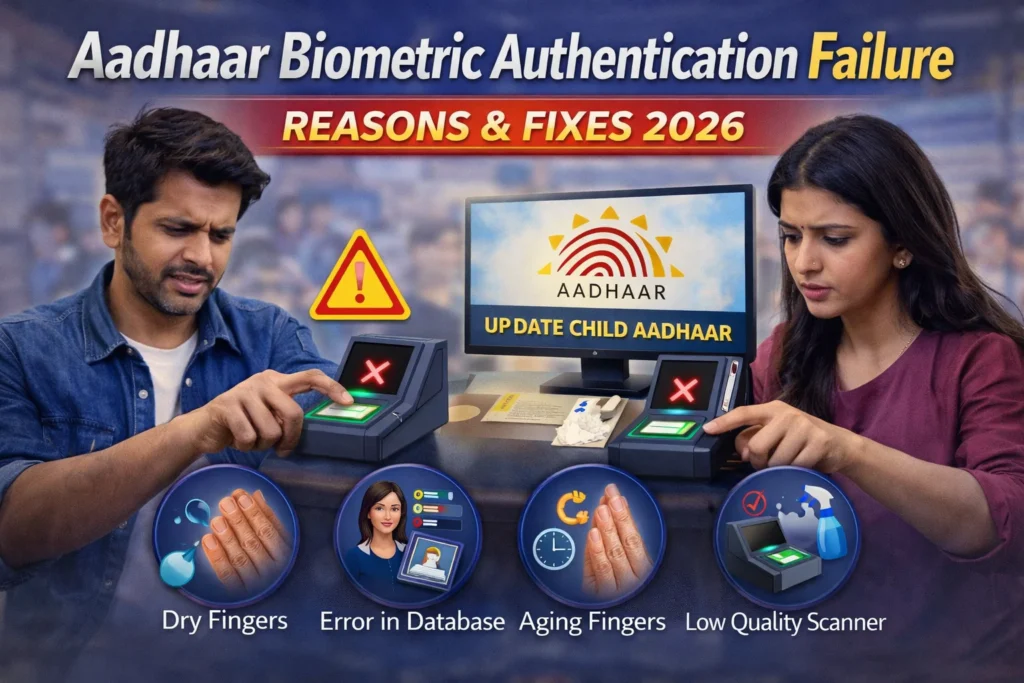
Aadhaar Biometric Authentication Failure Reasons & Fixes 2026
Biometric failures can be one of the most frustrating issues when using Aadhaar UIDAI authentication services — whether at a bank, government office, enrolment centre, or while accessing welfare schemes and financial services. Sometimes, even after placing your finger correctly on the scanner or looking directly into the iris camera, the system fails to verify your identity. You might try your fingerprint multiple times and still receive the same error message, causing delays and inconvenience. Many users facing Aadhaar Biometric Authentication Failure problems often wonder why the system does not recognize their biometrics despite repeated attempts.
These failures can occur due to several reasons, such as poor fingerprint quality, worn-out fingerprints from manual labor, device calibration issues, network connectivity problems, or outdated biometric data stored in the system. Environmental factors like dry skin, moisture, dust on the scanner, or improper finger placement can also affect accuracy.
In this article, we’ll clearly explain why these Aadhaar biometric authentication failures happen, what practical steps you can take to fix them quickly, and how to avoid repeated problems in the future for smoother and faster verification.
What “Aadhaar Biometric Authentication Failure” Means
When a system says “biometric authentication failed”, it simply means that the scanner could not match your fingerprint, iris, or face scan with what’s stored in the Aadhaar database. This match has to be accurate enough for the system to confirm your identity. A failure does not necessarily mean your Aadhaar is wrong. Often, it’s due to external factors like finger condition, scanner issues, or system delays.
Common Reasons for Repeated Biometric Failures
1. Fingerprint Quality Is Poor
2. Dirty or Wet Fingers
3. Faulty or Poor-Quality Scanner
4. Outdated Biometric Data
5. Biometric Lock Is Enabled
6. Environmental Factors
7. System or Network Issues
Server timeouts, network problems, or temporary technical issues can cause authentication failures even when everything else is fine.
Tips to Fix Aadhaar Biometric Authentication Failure
When to Update Your Biometric Data
If your fingerprints or iris continue to fail despite trying multiple fingers and scanners:
Updating is particularly helpful if your initial enrolment captured poor quality prints or if your fingerprints have changed over time.
Practical Advice for Children and Elderly People
Biometric failures are more common for:
For both groups:
Quick Summary of Common Causes
| Cause | Why It Fails |
| Dirty/Wet Fingers | Scanner cannot read clearly |
| Worn/Faded Fingerprints | Ridged patterns do not match stored data |
| Faulty Scanner | Device fails to capture biometrics accurately |
| Biometric Lock | System blocks authentication |
| Outdated Data | Old biometric records do not match new traits |
| System/Network Issues | Temporary failures due to connectivity or server problems |
FAQs
Final Thoughts
Aadhaar Biometric Authentication Failure can be frustrating, but most of the time, they are not a problem with your Aadhaar itself. It’s often something simple like fingerprint quality, scanner issues, or a system delay. Clean fingers, try different fingers, and use iris authentication if available. If failures persist, visit an Aadhaar centre to update your biometric data.
Following these steps ensures that biometric authentication works smoothly, whether for banking, government services, or Aadhaar verification. Staying proactive about biometric updates and using proper techniques during scanning can save you time and stress.