Aadhaar DOB Update Errors: How to Fix Step-by-Step Guide
Having the wrong Date of Birth (DOB) in your Aadhaar can cause real problems. Whether it’s operator mistakes at the enrolment centre or automatic system flags rejecting your update request, the process to correct DOB through the Aadhaar UIDAI portal can feel confusing. But you’re not alone — thousands face the same issue every year. This article explains:
Read on to understand how to fix your Aadhaar DOB Update Errors with confidence.
Why DOB Errors Happen in Aadhaar
Understanding why your update was rejected or went wrong is the first step to fixing it. There are several common causes:
1. Operator Error at Enrolment
When Aadhaar was first created, an official at the enrolment centre might have typed the wrong DOB, sometimes by accident or because the date wasn’t clear on the document you provided. This gets recorded as your Aadhaar DOB and stays there until it’s corrected properly. Many people discover this years later when the mismatch creates problems for bank KYC, passport applications, exams, or job documents.
This is one of the main reasons updates get complicated later. Many users report that the DOB was changed incorrectly during another update such as updating a mobile number or address, and now they can’t fix it because the system says the change limit has been crossed.
2. UIDAI System Flags and Rejection Rules
UIDAI’s system checks updates automatically. If something doesn’t match expected formats or documents, the system flags and rejects your request. This can include:
UIDAI itself says that Date of Birth in Aadhaar has strict rules and can be updated only once under normal circumstances. If the limit is reached, further corrections require special handling.
3. DOB Limit Already Used
Under UIDAI rules, the Date of Birth can only be updated once in normal circumstances. Once that change has been used (even if it was a small adjustment), further update requests will be rejected by the system automatically.
This is why many people find their second or third attempt blocked — even if the first change was an operator mistake and not valid. In this case, standard online updates won’t work.
4. Incomplete or Unacceptable Documents
UIDAI only accepts a specific list of documents as proof of DOB. If the document submitted does not match UIDAI’s guidelines — for example, handwritten certificates, old documents, or documents with inconsistent data — the update will be rejected. This is one of the most fixable issues, but many people don’t know the official required list before submitting.
Official Rules for Aadhaar DOB Update
UIDAI officially defines how DOB updates are handled in the Aadhaar database. These rules come from their FAQs and their Standard Operating Procedure (SOP) for Date of Birth updates. Here are the key points:
1. Acceptable Documents
UIDAI accepts a specific set of documents as valid proof of DOB. The most accepted ones include:
For children under 5 years and those between 5 and 18, birth certificate is generally required. For adults, any valid DOB document from the UIDAI list may be accepted.
2. Types of DOB in UIDAI Records
UIDAI records Date of Birth in one of three statuses:
If your current DOB is “approximate” or “declared,” it may be easier to update. If it is “verified,” you must provide a corrected document and often rely on exception handling if limits are exceeded.
3. Limits on DOB Update
Under normal circumstances:
If the limit is exhausted, UIDAI requires exception handling which involves regional office intervention.
Step‑by‑Step: How to Fix Aadhaar DOB Update Errors
Now that you know why the errors happen, here is how to fix them, step by step.
Step 1: Check Your Update Request Status
First, find out the exact status of your Aadhaar DOB update request.
Knowing the exact rejection reason is essential because your next steps depend on it. If it shows rejected due to invalid documents, your next attempt should use acceptable documents. If it shows rejected due to limit reached, you know you must follow exception handling.
Step 2: Gather the Correct Documents
To update DOB successfully, you need a valid proof of date of birth document.
Best documents to use:
Make sure the scan is high quality, all text is readable, and the document exactly matches the date you want in your Aadhaar. For adults, any document from UIDAI’s valid list can work. For children below 5 or below 18 with declared DOB, birth certificates are usually mandatory.
Step 3: Visit an Aadhaar Enrolment Centre
Most DOB updates need to be done in person at an Aadhaar Enrolment or Update Centre. You cannot always fix this online, especially if the DOB was already verified. At the centre:
After submission, you will receive a receipt with a new URN — save this for tracking. This step ensures a formal correction request is lodged with UIDAI.
Step 4: Track Your Request and Wait for Processing
Once you submit the request, it takes some time for UIDAI to process it. Typically, it can take a few weeks. You can check the status using the URN that was given to you at the enrolment centre. UIDAI will:
If the request is accepted, your Aadhaar will be updated with the correct DOB and a new Aadhaar card can be downloaded online.
What to Do if Your Request Is Rejected
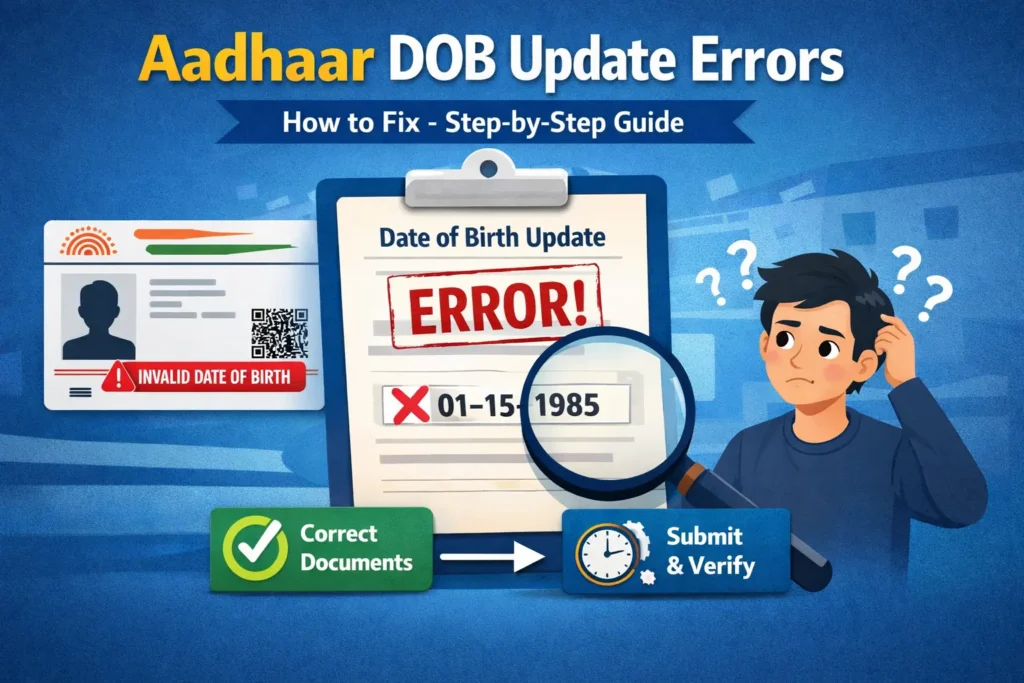
Sometimes, your update will still be rejected — and the reasons matter. Below are common rejection scenarios and how to fix them.
1. Rejected Due to Insufficient or Invalid Documents
If the system says your update was rejected because the document was invalid or not accepted, you must resubmit with a valid proof. Common mistakes include:
In this case, gather a better quality document or get an updated birth certificate, and reapply.
2. Rejected Because DOB Update Limit Is Exceeded
If your rejection message says the update has been rejected because the DOB update limit is exhausted, this means the system thinks you have already used your one allowed DOB update. In this case:
According to UIDAI’s official procedure, if your DOB update was rejected due to limit exceeded, you have to:
This process acknowledges genuine cases such as operator mistakes.
3. Rejected Due to Biometric Issues
Sometimes, UIDAI rejects updates because biometric verification fails — fingerprints or iris scans may not be captured properly. This can happen due to:
To fix this:
A successful biometric match is essential for UIDAI to accept your correction request.
What to Do When You Don’t Have a Valid DOB Document
One of the biggest challenges is when you don’t have a birth certificate or another valid proof of DOB. This happens often with adults who may never have received a birth record. In such cases:
If you truly have no official documents, obtaining a credible age proof (birth certificate or affidavit) is usually necessary before Aadhaar will accept the DOB change. Community cases show that without valid proof, UIDAI will not process DOB corrections. This is why obtaining a correct birth certificate is often the first step.
Real Issues People Face and How They Resolved Them
Many people share real experiences online about problems during Aadhaar DOB update. These show common pitfalls and solutions that worked:
1. DOB Changed by Operator During Other Update
Some applicants report that the DOB was wrongly changed by an operator during a different update (like mobile number change), and now the system says the limit is crossed. In these cases, many resolved it by:
2. Birth Certificate Address Doesn’t Match Aadhaar
If the birth certificate has your parents’ address and Aadhaar has your current address, systems sometimes reject the update. Practical solutions include:
3. No Valid Documents But Need Update Urgently
Some cases involve students registering for entrance exams who found they needed DOB correction urgently but lacked a birth certificate. Most successful paths involved:
Tips to Increase Your Chances of Approval
Here are some practical tips that many applicants find helpful:
Tip 1: Always Match DOB Exactly
The date in your document must match exactly what you want in Aadhaar — same day, month, and year.
Tip 2: Scan Documents at High Resolution
Low quality or unreadable scans are one of the top reasons for rejection.
Tip 3: Use a Birth Certificate When Possible
Even if you have other documents like passport or PAN, the birth certificate is often the strongest and most accepted proof.
Tip 4: Keep All Enrolment Receipts
Save all URNs and receipts you receive — these help when you follow up with UIDAI.
Tip 5: Be Clear in Your Self‑Declaration
If the limit was crossed due to someone else’s mistake, a clear explanation and affidavit go a long way.
Tip 6: Use Regional Office Support
If the standard process fails, contacting the regional UIDAI office often gets better results.
FAQs
Final Thoughts
Fixting DOB update errors in Aadhaar is possible, even if they were caused by operator mistakes or system rejections. The key is to first understand why your request was rejected and then ensure you use the correct documentation. Submit your update through an Aadhaar enrolment centre, track your status carefully, and use exception handling if the allowed update limits have been reached. By following the right process, you can successfully get your Aadhaar updated, which will help resolve KYC issues, official verifications, and maintain consistency in your identity records.